Automatic translation in OYi.Engine does not work
- 21 December 2015
- Volodymyr Hodiak
- Development
- And More
- 5287

We wrote this article for our clients who address to us with the same problem: “I can’t save the pages. I fill in the page name and click Translate. Then I click Save and get Validation Error."
You’ll find the explanation in the article.
Most our projects are multilingual (2-25 languages) which means filling in at least three required fields for each language version Name, URL alias, Title. The error occurs if skip these fields for the language version.
Whatever a page is (article, item, category), how fast it is created depends directly on the number of languages in the project. To save a manager’s time and client’s money, we have a standard option of automatic translation integrated into the CMS. Google Translate API and Yandex Translate API enable the automatic content translation. Yandex Translate translates better from Ukrainian into Russian and vice versa, while it is better to use Google Translate API for other language pairs.
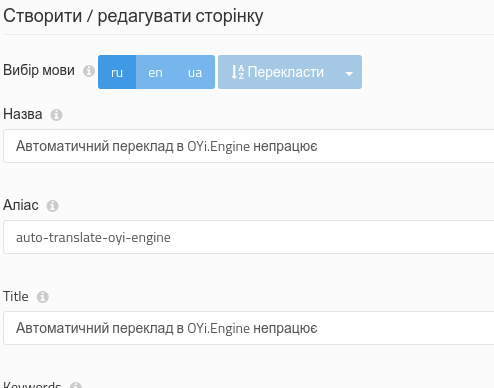
Now you have to pay for using Google Translate API. Quote: "Google Translate API is a paid service. For website translations, we encourage you to use the Google Website Translator gadget" (for more details go here). According to the Google Translate API pricing, you can use the service for $20 per month.
For this you need:
- register the application here
- add money to the account
- get an API key
- add the API key in the system settings
Keep calm.
We can do it for you. The only thing left to do is to arrange the payment.


